

AquaControl Firmware Update: Automatic Cross-Device Discovery Is Here
Brand New Feature
A new firmware update for the AquaControl DSP family, the AQZ32, AQM1208, and AQM408, adds automatic device discovery across the product line.
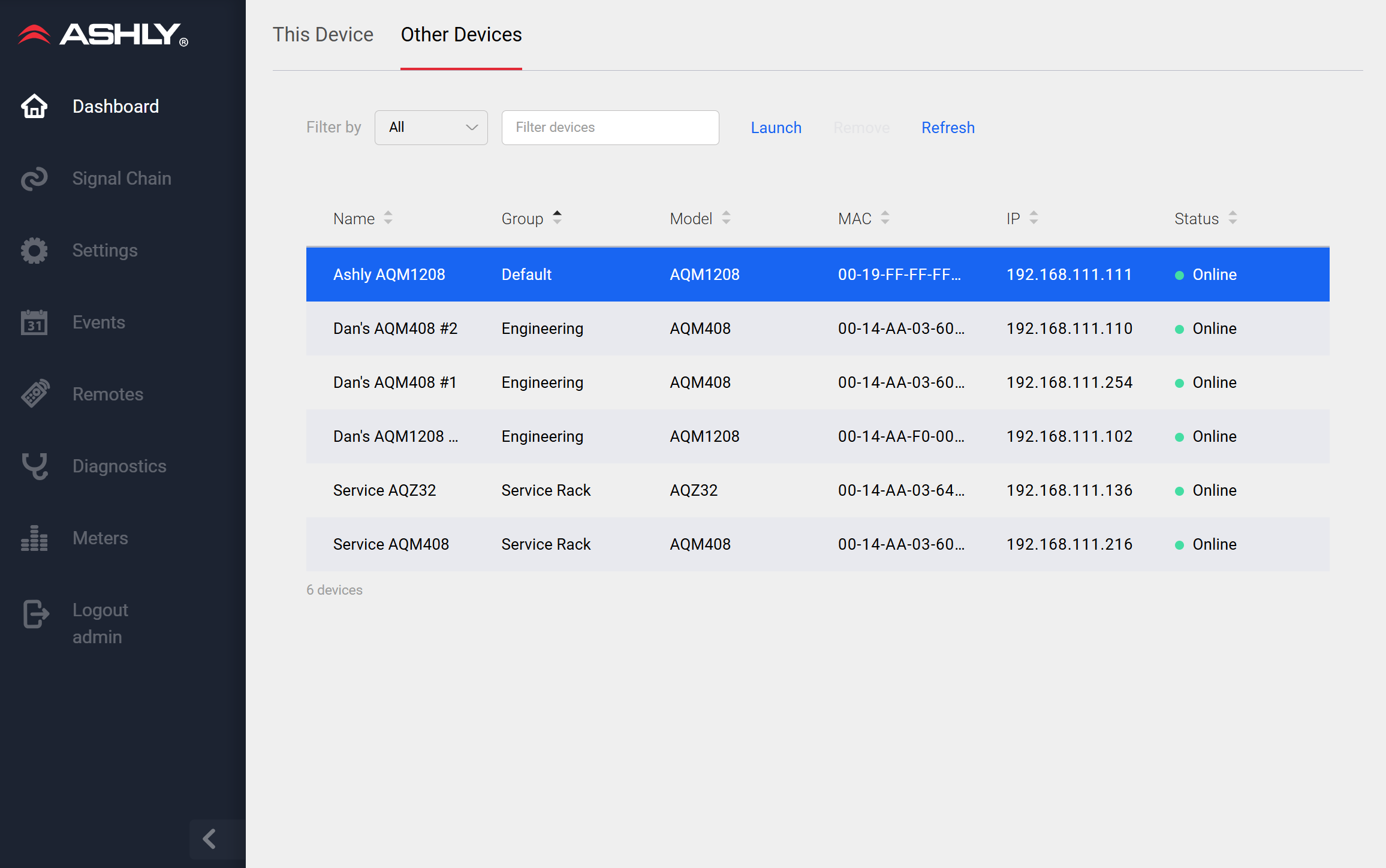
A new “Other Devices” tab on the dashboard lets every AquaControl unit on the network detect and list the others automatically. No manual configuration, no hunting for IP addresses. Just open the dashboard and see what’s connected.
How It Works
Any installations of AQZ32, AQM1208, and AQM408 units find and list one another using network broadcast. Discovered devices appear by name, so you can jump directly to any unit with a single click, right from the device you’re already working in.
Useful During Setup and Troubleshooting, Too
Because the discovery process uses network broadcast, it can surface devices with invalid or incorrect IP settings and show you exactly what they’re configured to. That makes it a practical tool for diagnosing network issues during commissioning or return visits.
Nothing Changes with What You Already Use
The new “Other Devices” view runs alongside all the other standard AquaControl connection methods. It’s an additional way to find and connect to your devices, not a replacement for the workflow you already know.
Now in AquaControl Portal 2.0, Too
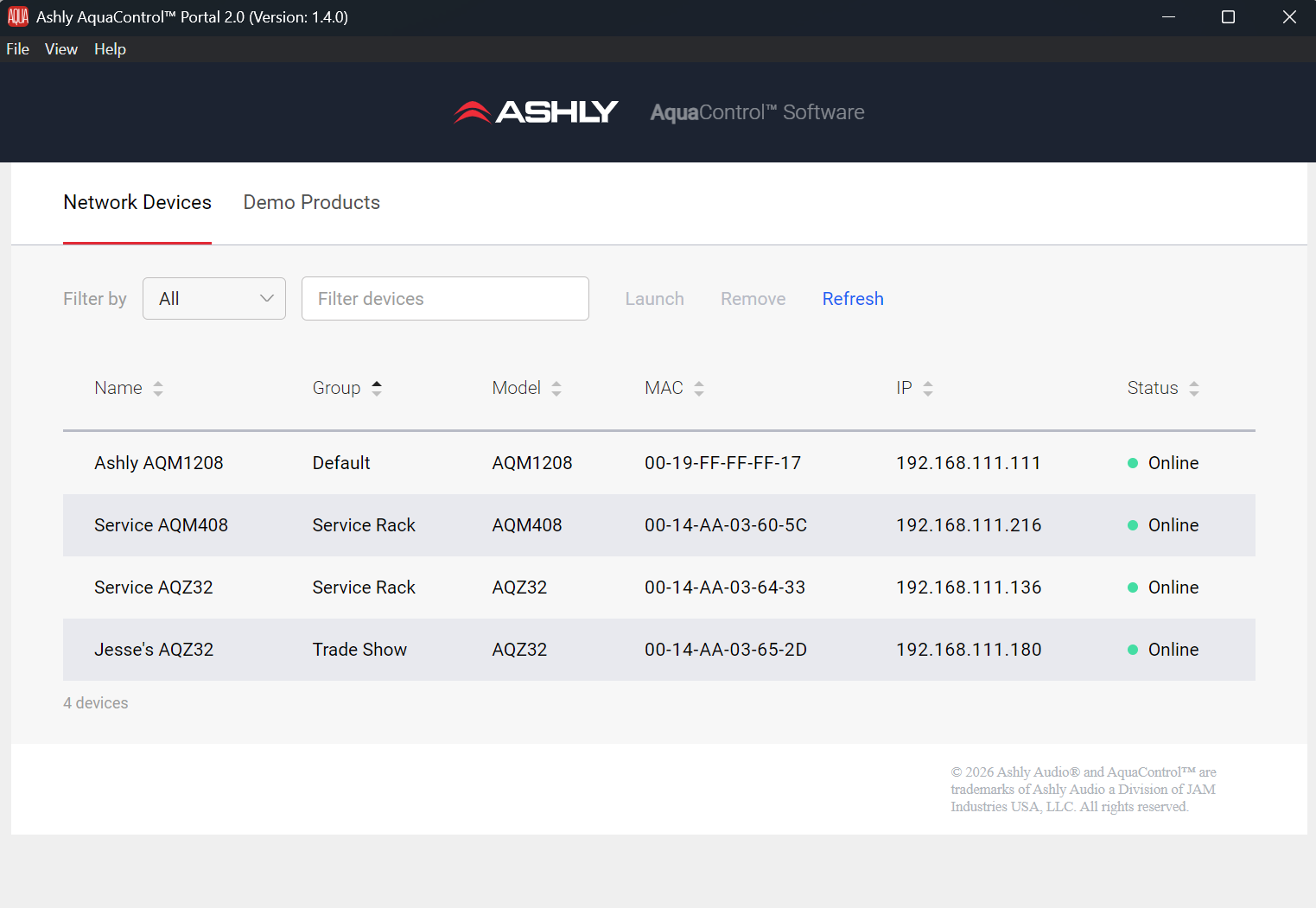
In addition to the on-device firmware update, AquaControl Portal 2.0 can now discover other AquaControl units on your local network, right from the Windows PC application. Scan the network, see what’s connected, and jump straight to any unit.
If your device firmware isn’t up to date, or discovery isn’t working as expected, see the AquaControl connection guide here.